
Shenzhen Southern Machinery · SMT and THT assembly equipment since 2011
Southern Machinery Southern MachinerySMT & THT assembly equipment
Radial taped components · inserted, cut and clinched in one pass

Radial components inserted at up to 20,000 an hour
without building a line around them

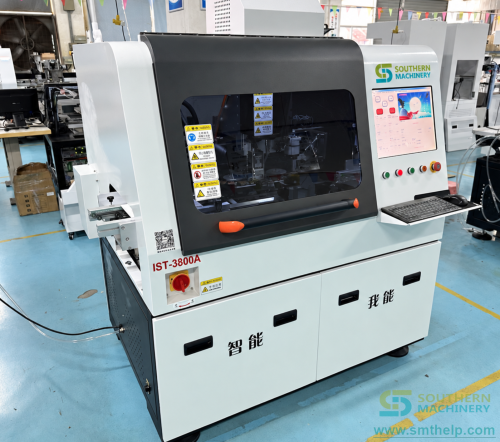
The S3000 is a radial taped-component inserter built for Smart EMS factories. Ten feeder stations as standard, fourteen if the product mix needs them. Insertion at any angle from 0 to 360 degrees in one-degree steps, machine-vision hole correction, and a wear-parts list that crosses to Universal. Boards from 50 x 50 mm to 400 x 300 mm, from 0.79 mm to 2.36 mm thick.

20,000CPH top speed, specification sheet
0-360°Insertion angle, 1° steps
10Feeder stations, 14 optional
0.7 mmMaximum component lead diameter

Verified material

Every figure on this page carries an evidence label: Verified material, Concept illustration or To be confirmed. Where two Southern Machinery documents disagree, both values are printed side by side instead of one being chosen.

01 — Why this machine exists

The inserter is rarely the constraint. The bench feeding it is.

Radial insertion is not a hard automation problem any more. It is a capital-allocation problem: deciding how much machine is enough, and proving the payback with numbers that survive a finance review.

01

Half the capital, on the vendor's own sheet

Southern Machinery's specification sheet states the machine requires only 50% of the investment compared with competitors. Treat that as a vendor claim and test it against the two quotations in front of you - but it is the reason this machine exists in the range at all.

02

Payback inside one budget year

The same sheet claims a quick return of less than one year. The calculator further down this page is deliberately built so you can check that claim with your own component count, board volume and wage, instead of accepting ours.

03

Wear parts that cross to Universal

The brochure states 100% compatibility with Universal machine wear and tear spare parts. On a machine that runs every day, the spare-parts catalogue is a larger long-run cost than the purchase order, and it is the line item buyers forget to compare.

04

Monthly usage cost under $100

A stated monthly usage cost below $100 is what decides whether a second machine is affordable. It is also the number that makes small and medium volume work economic, which is where most radial insertion decisions actually live.

05

Eight servo axes on bus control

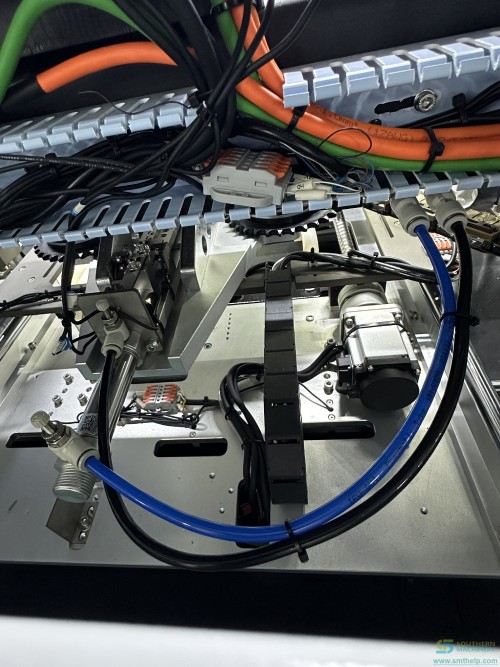
The user manual describes eight servo sets driven over bus control with absolute encoders, which it says removes a large number of photoelectric sensors and the wiring that goes with them. Fewer sensors means fewer things to fail and a shorter fault-finding path when something does.

06

Built for boards that change every week

The applications the manual names are power supply boards, home appliance controller boards, air-conditioner boards and audio control boards. Mixed product, changing component counts and frequent changeover are the normal case for the factories this machine is aimed at.

02 — How a component gets from tape to board

Six movements between the reel and the clinched lead

The sequence below follows the machine structure in the S3000 user manual. Nothing here is inferred from a photograph.

01

Tape loads onto the stations

Taped radial components are loaded onto the feeder stations: ten as standard, fourteen when the product mix needs them. Both a small feeder and a standard large feeder are available and are configured to the customer's component list.

02

The feeder cuts and hands over

The feeding mechanism cuts taped components one at a time according to the placement program and delivers each one to the chain gripper.

03

The chain carries the part

A chain carries the component from the feeder to the insertion head. Tension is held by fixed plus adaptive spring tensioning across four sprockets, which the manual ties directly to stable and precise component positioning.

04

The cover tape comes off

A paper-cutting station peels and cuts the paper tape off the components on the chain, one by one. It is cylinder driven and consists of peeling, cutting and positioning mechanisms.

05

Transfer onto the insertion head

The transfer arm takes the component off the chain gripper and delivers it to the main gripper of the insertion head. It is servo driven through a ball screw, with its own material-pushing and clamping mechanism.

06

Insert, cut and clinch

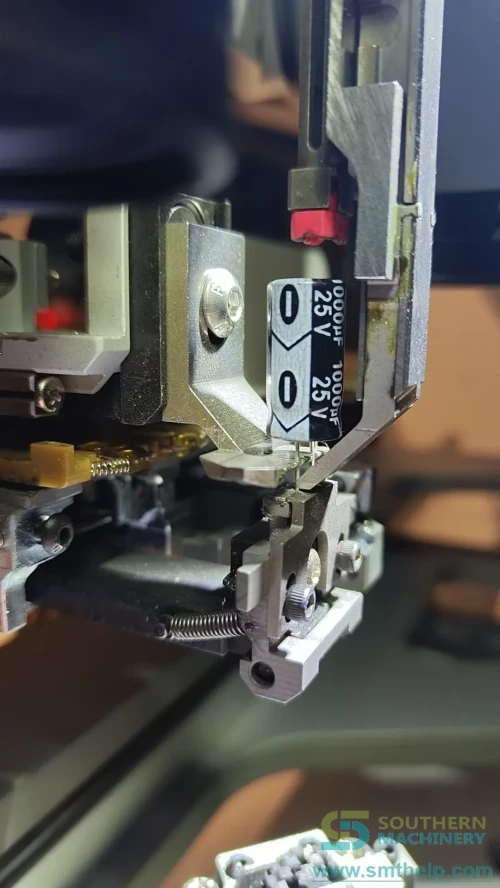
The head inserts at any angle from 0 to 360 degrees in one-degree increments. Below the board, the lead-cutting seat cuts the lead to 1.5 +/- 0.3 mm with the short-lead cutter or 2.0 +/- 0.3 mm with the long-lead cutter, and bends it through 10 to 15 degrees to hold the component in place.

03 — What is in the machine

Four sub-assemblies carry the whole process

The manual breaks the machine into frame, X-Y table, transfer mechanism, insertion head, lead-cutting seat, feeder, paper-cutting station, chain mechanism and transfer table. These four are the ones that decide what the machine can and cannot do.

Frame and control layout

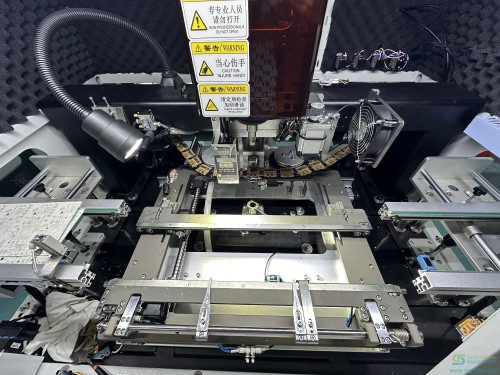
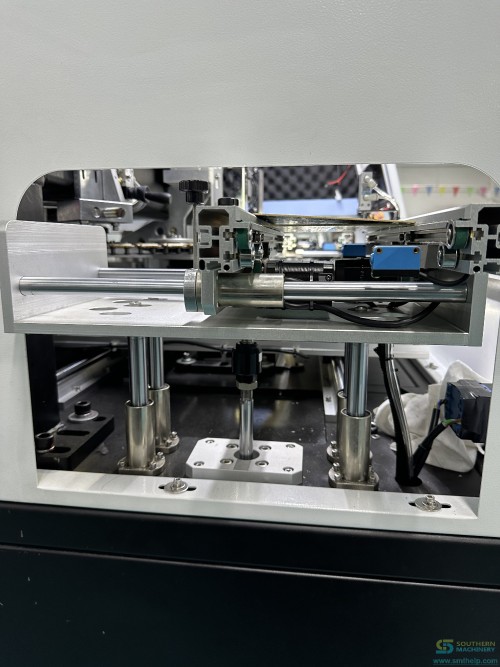
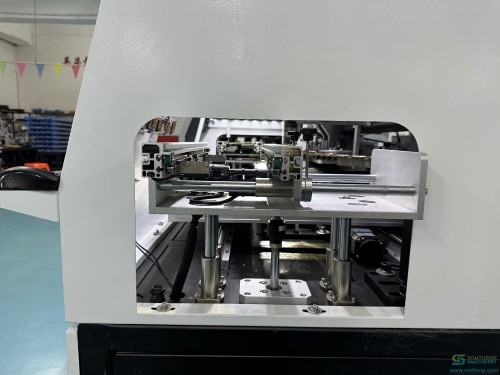
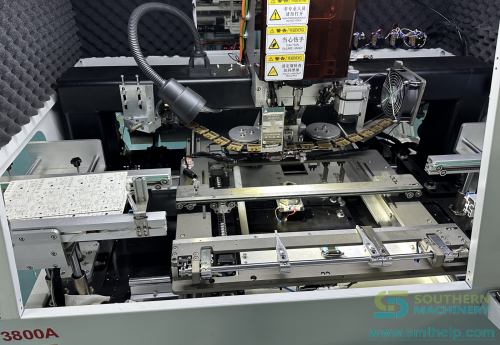
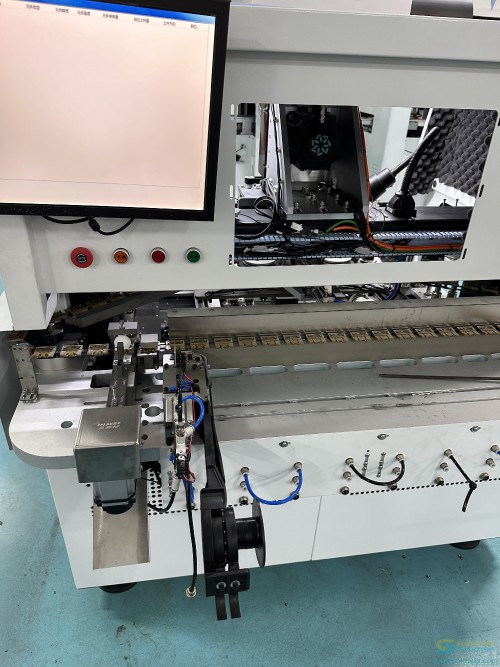
Welded square tube, CNC machined into shape. The X-Y and base mechanisms sit on the tabletop with the crossbeam and insertion head above. Pneumatic control is at the lower left front, the pull-out electrical control box on the right, and the isolation transformer and air tank at the left rear.

X-Y table

Moves the board to the insertion position from the placement coordinates. Lightweight high-strength aluminium alloy with precision linear motion components. The Y axis is ball-screw driven; the X axis is lead-screw driven. Board conveyor power reaches the rails through spring probes.

Insertion head

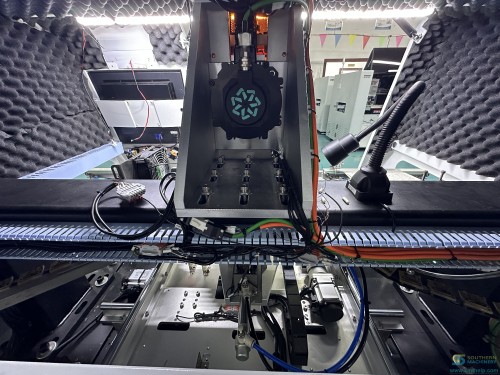
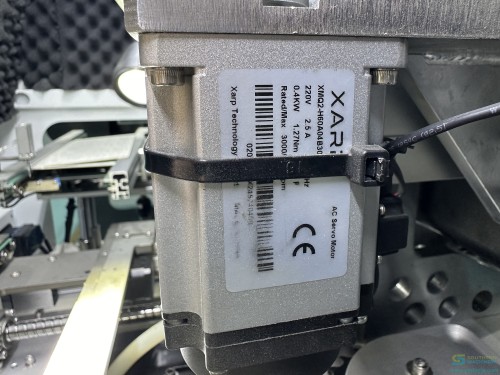
An integrated ball screw and spline shaft: one motor drives the ball screw nut for vertical H-axis travel, another drives the spline shaft nut for rotation at any angle, and a press motor drives an eccentric shaft and connecting rod for the press rod. The manual states the spindle uses a ball screw plus spline shaft in one integrated structure.

Lead-cutting seat

Cylinders control the up, down and cutting actions, with the up-down cylinder driving the cutting cylinder and cutter vertically while the cutting cylinder controls the cut independently. Angle adjustment is servo driven, and a concentricity adjustment block is provided to improve interchangeability between seats.

04 — Every published parameter

One column per document, nothing merged

Values below are reproduced from the two Southern Machinery documents named in the header. Numeric values, model codes and units are shown exactly as published and are never translated.

ParameterPublished valueSource
ModelS3000 Radial InserterVerified materialSpecification sheet 2024
Top speed20,000 CPH (spec) / 10,000 CPH (actual)To be confirmedSpecification sheet 2024
Insertion defect rateLess than 500 PPMVerified materialUser manual v1.1
Insertion direction0-360 degrees, 1-degree incrementsVerified materialUser manual v1.1
Component lead span2.5 / 3.5 / 5.0 / 7.5 / 10.0 mmTo be confirmedUser manual v1.1
Available board size50 x 50 mm to 400 x 300 mmVerified materialUser manual v1.1
Board thickness0.79-2.36 mmVerified materialUser manual v1.1
Component size limitsMax height 20 mm; max body diameter 13 mm; max lead diameter 0.7 mmVerified materialUser manual v1.1
Component types handledCapacitors, transistors, triodes, LED lamps, tactile switches, resistors, connectors, inductors, potentiometers, fuse holders, fusesVerified materialUser manual v1.1
Lead cutting length1.5 ± 0.3 mm (short blade) / 2.0 ± 0.3 mm (long blade)Verified materialUser manual v1.1
Lead bending angle10-15 degrees (adjustable)Verified materialUser manual v1.1
Feeder stations10 stations (recommended), 14 optionalVerified materialUser manual v1.1
Machine dimensions1700 (L) x 1500 (W) x 1600 (H) mmVerified materialUser manual v1.1
Feeder rack dimensions1600 x 500 x 900 mmVerified materialUser manual v1.1
Machine weight800 kg (10 stations) / 880 kgTo be confirmedUser manual v1.1
Power supply220 V AC single-phase 50/60 Hz, 2.0 kVATo be confirmedUser manual v1.1
Power consumption1.6 kWVerified materialUser manual v1.1
Air pressure0.6-0.8 MPaVerified materialUser manual v1.1
Air consumption0.2 m³/minVerified materialUser manual v1.1
Ambient temperature5-25 °CVerified materialUser manual v1.1
Noise80 dBVerified materialUser manual v1.1
Hole position correctionMachine vision, multi-point mark visual correctionVerified materialUser manual v1.1
Drive systemAC servo, AC motor; 8 servo sets, bus controlVerified materialUser manual v1.1
Data inputUSB interface, Excel document formatVerified materialUser manual v1.1
Control systemBus control technology, industrial PCVerified materialUser manual v1.1
Component density1 mm between bodies; SMD-to-hole clearance ≥ 3 mmVerified materialUser manual v1.1
Board transferAutomatic loading and unloadingVerified materialUser manual v1.1
05 — Where the documents disagree

The published figures do not all match. Here is both sides.

Three Southern Machinery documents describe this machine and they do not agree on every number. None of them is averaged, none of them is silently picked. Each value is printed with the document it came from, so you can check it yourself and confirm the current figure with us before you order.

To be confirmed

ItemSpecification sheet 2024User manual v1.1What we do about it
Insertion speed 20,000 CPH marked as specification, 10,000 CPH marked as actual speed, and 12,000 CPH in the feature section of the same document 18,000 points per hour theoretical, described as improvable by a software upgrade Quote the specification figure and the actual-speed figure separately. Ask for a timed demo on your own board before you accept either as your planning rate.
Machine weight 880 kg 800 kg with 10 stations Confirm the weight for the exact configuration quoted before you specify floor loading or lifting equipment.
Lead span description 2.5/3.5/5.0/7.5/10.0 mm, Dual, Triple and Quad Span 2.5/3.5/5.0/7.5/10.0 mm, three combinations The span values agree. The number of combinations does not. Send us the component list and we will confirm which span set your parts need.
Power supply 220 V, 50 Hz 220 V AC single-phase 50/60 Hz, 2.0 kVA The manual is the more complete statement. If your site is 60 Hz, confirm it on the order rather than assuming the sheet covers it.
Component type row The row labelled component types carries the lead span values instead of component types Lists capacitors, transistors, triodes, LED lamps, tactile switches, resistors, connectors, inductors, potentiometers, fuse holders and fuses Read the manual row for component types. The specification sheet row is mislabelled in the published file; we have not corrected it here.
Speed claim in the feature section Up to 12,000 components per hour Not stated This is a third speed figure inside the same brochure. Treat any speed number as configuration dependent and ask for the basis before you plan capacity on it.

This table is not a disclaimer. It is the reason we can be held to the numbers: if a figure changes between documents, we would rather show you both than print the one that reads best.

06 — What the speed figure is worth

Turning a CPH number into boards per shift

A speed rating is only useful once it is divided by the component count on one board. Here is that division, done with the published figures and nothing else.

The number the sheet prints

20,000 CPH is 333 components a minute. At the actual-speed figure published in the same document, 10,000 CPH, the same hour is 167 components a minute. Both are in the specification sheet, one line apart.

Divide by the component count

A board carrying 180 radial components takes about 32 seconds at the specification figure and about 65 seconds at the actual-speed figure. A board carrying 400 takes about 72 seconds and about 144 seconds. The component count, not the CPH rating, is what your planner needs.

What changes the number

Insertion angle, lead span changes, board size and how many stations are actually loaded all move the achievable rate. The manual notes the theoretical speed can be raised by a software system upgrade, which is a claim about the controller rather than about the mechanics.

Where the real gain sits

The gain that shows up fastest in a cost review is usually not the insertion rate at all. It is the hand insertion and hand forming the machine removes, and the rework on boards where a lead pitch was formed to the wrong gauge.

07 — What is configured, not just listed

Six items that change what the machine can do

These are the options the documents describe in enough detail to quote. Each one is listed with the claim attached to it, so you know which part is specification and which part is marketing.

90-degree bending retrofit, priced at $10

The brochure prices a retrofit radial feeder for 90-degree component bending at $10.00. For tall radial parts that will not lie flat against the board, this is the cheapest documented upgrade in the range.

Built-in air storage tank

The machine carries its own air tank. The brochure presents this as reducing downtime and maintenance effort by making the air supply less sensitive to what happens upstream of the machine.

Built-in 3 kVA regulator

A 3 kVA regulator is built in and is described as minimising downtime and reducing circuit failures. On sites where supply quality is the suspected cause of unexplained stoppages, this is the first option to take.

Drawer-style control box

The electrical control box pulls out of the frame. The industrial PC sits on its cover, and the servo drives are inside it, which is what makes routine electrical access a two-minute job instead of a panel removal.

Machine vision with multi-point mark correction

Hole position correction uses a machine vision system with multi-point mark visual correction. The software manual also documents camera exposure control when hole brightness makes a board hard to measure.

3D drawings and animations for training

Training material is supplied as 3D drawings and animations, which the brochure presents as making the working principle easier to understand. It matters most in factories where operators rotate between machines.

08 — What the site has to provide

Six requirements before the machine lands

These come from the manual's parameter table and its pneumatic and control sections. They are the items that delay an installation when they are discovered on the day rather than before it.

Power

220 V AC single-phase, 50/60 Hz, 2.0 kVA connected load, 1.6 kW running consumption. Servo drives take single-phase 220 V in and put three-phase 200 V out. DC 24 V and 36 V are provided by a switching power supply inside the cabinet.

Compressed air

0.6 to 0.8 MPa at 0.2 cubic metres a minute. The manual is explicit that the air must be dried by a dryer and filtered before it reaches the machine, then passed through a manual switch, pressure regulator, oil filter and atomising cup on the way to the tank.

Floor space and loading

Main unit 1700 x 1500 x 1600 mm, feeder rack 1600 x 500 x 900 mm, weight 800 kg at ten stations or 880 kg per the specification sheet. Confirm the figure for your configuration before specifying floor loading.

Environment

Ambient temperature 5 to 25 degrees Celsius, in a non-humid, non-corrosive environment. Published machine noise is 80 dB. Both are manual figures and both are worth checking against your actual shop floor in summer.

Component and board density

Component bodies must have 1 mm spacing, and the distance between surface-mount components and the holes to be inserted must not be less than 3 mm. This is a design rule for the board, not a machine limit, and it is the one that most often forces a layout change.

Board handling

The machine takes automatic loading and unloading of boards, with symmetrical transfer tables on the left and right rails. The transfer tables are cylinder driven vertically and will not descend on their own shortly after air is removed.

09 — What the released hours are worth

Payback, computed from your numbers and not ours

Every figure in this calculator is supplied by you. The page asserts no saving of its own. The machine rate is entered per minute, so the result follows your component mix rather than a brochure claim.

Concept illustration

—Machine capacity, components per hour
—Hours released per month
—Labour released per year
—Payback period

Two clamps keep this honest. The hours the bench could ever work are capped by the number of operators and the production days, so the calculator cannot release more hours than you employ. And when the hand rate is at or above the machine rate, the page says so instead of printing a negative saving.

11 — The machine running

Watch the insertion step, then watch it repeat

These are Southern Machinery videos from the product video catalogue, matched to radial insertion. Each one is labelled with the machine it shows, so a sibling model is never presented as this one.

1:19

Radial insertion machine working for Smart EMS PCB assembly

The machine inserting radial components into a production board.

0:32

China-made radial insertion machine for Smart EMS PCB assembly

A walk-round of the machine as delivered and installed.

0:32

How a THT radial insertion machine works

The insertion cycle explained on the machine rather than in a diagram.

0:43

Radial insertion machine with automatic PCB handling

The machine running with its loading and unloading conveyors attached.

0:17

The insertion head and cutter head working together

The head inserting while the lead-cutting seat below the board cuts and clinches.

1:00

90-degree bending of tall radial lead components

The 90-degree bend arrangement that lets tall radial parts lie against the board.

12 — Articles

Eight decisions that are made before the machine arrives

These articles are written for the person who has to justify the spend, not the person who has to run the machine. They are deliberately long, because the decisions that go wrong on a radial line are usually taken months before the purchase order.

Body text is kept in English on every language version by design: these are technical articles, and a machine-translated technical article is worse than an English one. Titles and summaries are translated.

ARTICLE 01Your radial line is not slow at insertion, it is slow at the bench feeding it

The station that sets your line rate is usually the one that has never appeared on a line layout.

Ask a production manager for the cycle time of a through-hole line and you will get a competent answer about insertion, wave soldering and test. Ask for the time it takes to hand-form and hand-load the radial parts that feed that inserter, and the conversation changes shape. Nobody measured it, because it never appeared as a station on the line layout. It appeared as headcount.

That is the whole problem. Hand insertion does not fail loudly. It absorbs whatever volume you throw at it by absorbing more people, and because the cost arrives as wages rather than as capital, it never shows up as a number anybody has to defend in a budget review. The line rate is therefore set by a bench, and the bench is invisible in every report you have.

The way to make it visible is a three-line calculation. Take the number of radial components on one board, multiply by the boards you build in a month, and divide by the insertion rate of one person. That gives you person-months. Multiply by the fully loaded monthly cost of that person - not the wage, the wage plus contributions, supervision and floor space - and you have the annual cost of a station that does not appear on your layout.

Then do the same division at machine speed and subtract. What is left is the labour the machine releases, and it is usually the smallest number in the comparison. The larger numbers are the ones the bench hides: the reels you bought because you could not insert fast enough, the rework on boards where a lead span was formed to the wrong gauge, and the warranty claims on parts that passed every check you ran in-house.

The reason this matters beyond the first year is that the calculation repeats. Component counts per board go up as designs add bulk capacitance and more through-hole connectors. Volumes move with demand. Every time either changes, a bench absorbs it by hiring and a machine absorbs it by running. One of those two scales, and the other one accumulates.

There is a second effect that rarely gets written down. A bench staffed to meet the peak is idle at the trough, and a bench staffed to the average misses the peak. So the bench does not just cost money, it adds a scheduling constraint that shows up as expediting, overtime and the occasional air freight. None of that appears in the labour rate either.

The practical move is to measure the bench before you argue about the machine. Count the radial parts on your three highest-volume boards. Time one operator inserting them for an hour, with a stopwatch, on a real board. You will get a number somewhere between 8 and 20 components a minute depending on lead span and how much forming is involved. That single measurement turns the whole decision from an opinion into arithmetic.

If you want the arithmetic done with your own numbers rather than a generic example, the calculator on this page takes the component count, the board volume, the insertion rate and the wage, and returns the hours released and the payback period. It is worth five minutes before the next headcount review, if only to find out whether the bench is as cheap as it feels.

ARTICLE 02The five numbers that decide whether a radial inserter pays for itself

Four of them are not the machine price, and one of them is a number you have probably never measured.

Most radial insertion business cases are built on the machine price and the headcount it removes. That is two numbers, and neither of them is the one that decides the outcome. Here are the five that do, in the order they tend to kill a proposal.

The first is components per board, and it is the only one that never changes sign. A machine rated at 20,000 components an hour and a board carrying 180 components means about 32 seconds of insertion per board. The same machine on a board carrying 40 components means about 7 seconds, and a 7-second insertion step is invisible next to your loading, printing and soldering times. Radial insertion automation pays on boards with a real radial count, and the threshold is usually somewhere around 60 to 80 radial parts per board. Below that, look elsewhere first.

The second is how many distinct radial part numbers appear across your product mix. This is the number that decides how many feeder stations you need, and station count is where the quote stops being a machine price and starts being a configuration. Ten stations is the standard count on the S3000 and fourteen is available. If your mix needs twenty distinct parts across the month, you are either changing reels between products or buying a second machine, and both of those belong in the calculation before you compare quotes.

The third is changeover time, and almost nobody measures it. On a mixed-product line, the inserter is not limited by its insertion rate. It is limited by how long it sits idle while somebody swaps reels, reloads a program and runs a first-article check. Two factories with identical machines and identical products can differ by 30 per cent in output purely on this number. Measure it for a month before you buy anything.

The fourth is the rework and scrap rate on hand-inserted boards, and it is the number people argue about most because it is the hardest to attribute. A reversed electrolytic capacitor that survives your end-of-line test and fails in the customer's enclosure is not a labour cost, it is a warranty cost, and warranty costs do not appear in the headcount comparison at all. If your field failure rate on radial parts is above a few hundred parts per million, that is worth pricing before you price a machine.

The fifth is spare parts and service, and it is the one that only shows up in year two and beyond. The S3000 specification sheet states 100 per cent compatibility with Universal machine wear and tear spare parts, and a monthly usage cost under 100 dollars. Take those as the vendor's figures and verify them against your own component mix, because a wear part list is specific to what you actually run. A machine with a cheap purchase price and a proprietary wear part is more expensive over five years than the reverse.

Put those five together and the shape of the decision changes. The machine price is the smallest number and the easiest to compare, which is exactly why it dominates the conversation. The four that follow it are harder to obtain, and they are the ones that determine whether the project returns anything at all.

The S3000's own documentation makes two claims that map onto this list: half the investment of comparable machines, and payback in under a year. Both are worth testing. The way to test them is to fill the calculator on this page with your own five numbers and see whether the payback survives contact with your actual component counts.

ARTICLE 03Lead span, board thickness and hole tolerance: what to check before you specify

Three checks that decide whether a component can be inserted at all, before any question of speed arises.

There is a category of radial insertion enquiry that ends the same way every time. The component list arrives, the machine looks suitable, and then somebody discovers that the parts cannot be inserted at all - not slowly, not at all. The three checks below are the ones that catch it, and all three belong before the quote rather than after the order.

The first is lead span. The S3000 handles spans of 2.5, 3.5, 5.0, 7.5 and 10.0 mm. Those values are published in both the specification sheet and the user manual, and they agree. What the two documents do not agree on is how many combinations are available: the specification sheet says Dual, Triple and Quad Span, and the manual says three combinations. If your component list has a span outside that set, the machine does not insert it, and no amount of programming changes that. Sort your component list by span before you do anything else.

The second is component body size. Maximum height 20 mm, maximum body diameter 13 mm and maximum lead diameter 0.7 mm. The height figure is the one that surprises people, because a tall electrolytic that fits on the board fine can still foul the insertion head. If you run tall parts, ask specifically about the 90-degree bending arrangement, because that is the configuration that lets a tall part lie against the board instead of standing up into the head's path.

The third is hole and land geometry, and this is the one that forces a board revision. The manual states that component bodies must have 1 mm of spacing, and that the distance between surface-mount components and the holes to be inserted must not be less than 3 mm. That second rule is the expensive one. A layout designed for hand insertion often places a chip capacitor right next to a through-hole pad, because a human can angle a soldering iron. An insertion head cannot. The 3 mm rule is a design constraint on your board, not a limitation of the machine, and discovering it after tooling is expensive.

There is a fourth consideration that is not a hard limit but changes the numbers: board size and thickness. The machine takes boards from 50 x 50 mm to 400 x 300 mm, and from 0.79 mm to 2.36 mm thick. The manual notes that customisation is available for special requirements. A 0.6 mm board or a 500 mm panel is not a reason to walk away, but it is a reason to raise it early rather than at the installation survey.

Component type is the fifth thing to confirm. The manual lists capacitors, transistors, triodes, LED lamps, tactile switches, resistors, connectors, inductors, potentiometers, fuse holders and fuses. Note that the specification sheet's row labelled component types actually contains the lead span values instead - a labelling error in the published file that we have not corrected, and which is disclosed on the specification page of this site.

The way to run these checks quickly is to send your component list in a spreadsheet with four columns: part number, lead span, body diameter and body height. Add a fifth column for anything taller than 15 mm. That one file answers the first three questions in about ten minutes, and it is the same file we need in order to quote a configuration rather than a machine.

If you want to check a single candidate part before doing the whole list, send the part number and a photograph with a ruler next to it. We will tell you whether it goes on this machine, whether it needs the 90-degree arrangement, or whether it is a job for a different class of equipment.

ARTICLE 04What ten feeder stations actually buy you on a mixed-product line

Station count is a changeover decision dressed up as a capacity decision.

Feeder station count is usually presented as a capacity decision. It is not. It is a changeover decision, and confusing the two is how factories end up with a machine that is fast enough on paper and too slow in practice.

Start with what a station actually holds. A station carries one taped radial component type. Ten stations means ten distinct part numbers loaded and ready at the same time. If your product mix needs more than ten distinct radial parts on a single board, something has to give: either you reload mid-run, or you build in two passes, or you buy the fourteen-station option.

The arithmetic that matters is not insertion rate, it is the ratio of run time to changeover time. Suppose a product runs for two hours and a reel change takes fifteen minutes including a first-article check. That is roughly 12 per cent of the available time spent not inserting. Now suppose you need three reel changes per product because your mix needs thirteen parts on ten stations. You are at 36 per cent. The insertion rate has not changed at all, and the output has dropped by a third.

This is why the station count question cannot be answered from the machine datasheet. It has to be answered from your product mix. Take your last six months of production and count, for each product, how many distinct radial part numbers appear. Sort those counts. If the ninetieth percentile is ten or below, ten stations is right. If it is thirteen or fourteen, the fourteen-station option pays for itself in changeover time alone, before you count anything else.

There is a second-order effect that factories underestimate. Extra stations also act as a buffer against component shortages. If a part is delayed and you have two spare stations loaded with the next product's components, you can start the changeover while the shortage resolves. On a ten-station machine with a full mix, there is no slack and every delay propagates straight into the schedule.

The counter-argument is cost and floor space. Four extra stations mean a longer feeder rack and more capital. The S3000's feeder rack is 1600 x 500 x 900 mm and the main unit is 1700 x 1500 x 1600 mm, so the rack is a separate footprint item worth checking against your layout rather than assuming it fits under the main frame.

There is also a programming dimension. The software manual describes a program list that specifies insertion sequence, position coordinates, aperture, component specification and feeder station, and an ingredient list that summarises station, component name, model and usage for the parts being inserted. That ingredient list is the document that tells you whether your station assignment is sensible, and it is worth reading for one representative product before you commit to a station count.

The practical recommendation is to size for the ninetieth percentile of your mix, not the average and not the maximum. Sizing for the maximum means paying for stations that sit empty most of the month. Sizing for the average means living with changeover every product. The S3000 gives you ten as standard and fourteen as an option, which brackets most single-machine radial operations; the work is deciding which end of that range your mix actually needs.

ARTICLE 05Reading a radial insertion specification sheet without being misled

Specification, actual speed and feature-section speed are three different numbers, and a well-built sheet prints all three.

An insertion machine specification sheet contains at least three different kinds of speed number, and they are not interchangeable. Knowing which is which is the difference between a capacity plan that holds and one that collapses in the first month.

The first kind is the specification figure. On the S3000 sheet this is 20,000 CPH, and it is the theoretical maximum under ideal conditions: short moves, no span changes, one component type, everything running at design speed. It is a legitimate number and it is not a planning number.

The second kind is the actual speed. On the same sheet, the same page, this is 10,000 CPH. That is the figure the manufacturer expects you to achieve in real production, and it is the one to plan with. The fact that both numbers appear one line apart is unusual honesty; many sheets print only the first.

The third kind is the marketing figure. The feature section of the same brochure says up to 12,000 components per hour. That is a third value in the same document, and it sits between the other two. It is not wrong, it is a different measurement condition - probably a well-behaved board with few span changes - but it is not a number you can plan against.

The user manual adds a fourth: 18,000 points per hour theoretical, with a note that it can be increased by a software system upgrade. That note is worth reading carefully. It says the constraint is in the controller rather than the mechanics, which is a claim about future capability rather than a present specification.

So four published figures, spanning 10,000 to 20,000. What should you do with that? Convert all of them to seconds per board using your own component count, then ask which one your production plan can survive. A board with 180 radial components takes 32 seconds at 20,000 CPH and 65 seconds at 10,000 CPH. That difference is a factor of two in the radial insertion step, and on a high-volume product it is the difference between one machine and two.

The second thing to check on any sheet is which row is which. The S3000 specification sheet has a row labelled component types that actually contains the lead span values, and a separate row labelled component specifications that contains the size limits. If you read the sheet quickly you will conclude the machine handles spans of 20 mm and heights of 10 mm. It does not. Read the manual's parameter table alongside the sheet and reconcile them.

The third thing is what is not on the sheet at all. Changeover time, first-article time, maintenance interval, wear part prices and service response time are not specification sheet items, and they are frequently more important than the insertion rate. Ask for them in writing. A vendor who will not put a service response time in writing is telling you something.

Our own position is that the honest thing to do with conflicting figures is to print both and name the source, which is what the specification page of this site does. It is a harder position to market from and an easier one to buy from, because the buyer who checks the arithmetic finds that it holds.

ARTICLE 06When a ten-dollar retrofit beats a fifty-thousand-dollar machine

The cheapest documented upgrade in the range solves a problem people usually try to buy their way out of.

Some radial insertion problems are solved by a machine. Some are solved by a part that costs ten dollars, and the second category is larger than most people expect.

The specific case is tall radial components. A radial part standing 18 mm tall on a 1.6 mm board presents a problem to an insertion head: the head has to come down over the body, and the body is in the way. The industry answer is to bend the leads through 90 degrees so the part lies flat against the board. That is a mechanical change to the feeder, and the S3000 specification sheet prices the retrofit for 90-degree component bending at 10.00 dollars.

Ten dollars. Against the cost of a second machine, or the cost of continuing to insert those particular parts by hand, that is a rounding error. And yet factories regularly raise the tall-component problem as a reason to keep hand insertion, or as a reason to buy a more expensive machine, without ever asking whether a retrofit exists.

The reason this happens is that the retrofit is buried in the feature pages of a specification sheet rather than in the parameter table, and buyers read parameter tables. It is the same class of omission as the 3 mm land clearance rule discussed elsewhere on this site: a small mechanical fact that determines whether a whole category of work is automatable, published in a place nobody looks.

The general principle is worth stating because it applies well beyond radial insertion. Before treating any component as un-automatable, ask three questions in order. Can the component be presented differently - bent, taped, re-oriented, trayed? Can the feeder be changed rather than the machine? And only then, is a different machine required? Most of the time the answer is in the first two, because the machine is a general-purpose platform and the feeder is the part that is specific to your component.

The S3000 has two documented examples of this. The 90-degree bending retrofit is the first. The second is the feeder itself: the manual describes the feeding mechanism as featuring the world's first small feeder alongside a globally standard large feeder, configurable according to customer requirements. That sentence is doing a lot of work. It means the machine is not sold as a fixed configuration for a fixed component set; it is sold as a platform whose component-specific part is the feeder.

There is a caveat, and it is the honest one. A ten-dollar retrofit is a documented price for a documented part, and it assumes the part fits your application. If your component needs a different span, a different bend angle or a different orientation entirely, the cost is not ten dollars and may not be small. The point is not that everything is cheap; the point is that you should ask before you assume.

The practical action is to make a list of every radial part you currently insert by hand, and against each one write a single sentence: why it is manual. Then send that list to a vendor and ask which of those sentences is actually true. In our experience a meaningful share of them dissolve, and the ones that do not are the ones worth designing around.

ARTICLE 07From paper travellers to MES: making insertion data worth collecting

The machine can report speed, quality and quantity. Whether anyone can act on it is a different question.

An insertion machine that reports production data is not the same as a factory that uses production data. The gap between those two is where most of the value of an MES connection is lost, and it is a process problem rather than a software problem.

Start with what the machine can actually produce. The S3000 software manual documents an information statistics page that performs real-time statistics on insertion speed, quality and quantity, and a save function that writes that information to a record folder. It also documents a device status page showing input and output signals with their real-time states, and a feeder test routine. The machine is compatible with an MES system and can manage production tasks.

So the data exists. The question is whether anybody can act on it. Three conditions have to hold for that to be true, and they are worth checking before you spend money on integration.

The first is that the data has to be attributable to a specific product, not just to a shift. Insertion speed averaged over eight hours tells you nothing actionable. Insertion speed for product A on machine 2 during the morning shift tells you whether to look at the program, the feeder assignment or the operator. If your MES integration produces shift-level aggregates, you have paid for a dashboard rather than a decision tool.

The second is that the measurement has to be taken at a frequency that matches your response time. Speed, quality and quantity statistics are useful at the end of a run for planning and useful during a run for intervention. Those are two different requirements. Decide which one you actually need, because real-time collection costs more to build and more to maintain than batch collection.

The third is that somebody has to own the number. This is the condition that fails most often. A factory installs MES reporting, the numbers appear, and within three months nobody looks at them because no meeting has an agenda item for them and no person is accountable for the trend. The technology worked and the process did not.

There is a lighter-weight version of this that works surprisingly well and costs almost nothing. The software manual describes the information statistics page as viewable on the main page and saveable to the record folder, and notes that you can also take a screenshot of the page and save it as an image. That means an operator can capture the end-of-run statistics for one product with no integration at all. Do that for a month for your three highest-volume products and you will have a better data set than most factories get from a half-finished MES project.

The same principle applies to the fault side. The device status page shows input and output signal states in real time, with a documented convention: a valid low level is shown one way and an invalid high level another, so an emergency stop that has been pressed is visibly different from one that has not. That page is the fastest path from symptom to cause on the machine, and it requires no integration whatsoever.

The recommendation is to sequence this properly. Collect manually for a month, learn which three numbers you actually use, and only then automate the collection of those three. Automating everything first produces a data set nobody reads and an integration nobody maintains. The machine can report speed, quality and quantity - the value comes from deciding in advance what you would do differently if a number moved.

ARTICLE 08Spare parts, service windows and the real cost of a stopped inserter

The purchase price is the smallest number in the ownership calculation, and the easiest one to compare.

The purchase price of an insertion machine is the smallest number in the cost of owning it, and the only one that is easy to compare. That asymmetry is why so many equipment decisions are made on the wrong number.

Take a machine that costs X and runs for five years on a single shift. Over that period it will consume wear parts, maintenance labour, compressed air, power and the occasional unplanned stoppage. On a machine with a proprietary wear part list and a two-week parts lead time, those four categories can exceed the purchase price. On a machine with a cross-referenced wear part list and a one-day lead time, they usually will not.

The S3000's specification sheet makes two relevant claims. The first is 100 per cent compatibility with Universal machine wear and tear spare parts. The second is a one-day spare parts lead time. Read together, they describe a machine whose wear parts are both cheap and available, which is the condition that makes the long-run cost predictable.

There is a specific reason to care about the cross-reference beyond price. A wear part that crosses to a widely-used platform is a part that exists in multiple supply chains. If your machine vendor has a bad quarter, or if your region has a logistics problem, you can still get the part. A proprietary wear part on a machine with a single source is a business continuity risk that never appears in a purchase comparison.

The stoppage cost is the number that makes all of this concrete. Take the value your line adds per hour, multiply by the hours a stoppage lasts, and compare that to the price difference between a cheap machine and a well-supported one. If your line adds a thousand dollars an hour and a part shortage costs you two days, that single event costs more than most of the purchase price differences you are agonising over.

The published service commitments are worth listing because they define what you are buying. The specification sheet states 24/7 worldwide support, free installation and training, a one-day spare parts lead time and a one-month turnaround on a customised solution. Each of those is a claim to be verified in the contract, and each of them maps onto a real cost in the ownership calculation.

Training belongs in this list too, and it is usually undervalued. The brochure describes training material supplied as 3D drawings and animations. In a factory where operators rotate between machines, the time to competence is a real cost, and material that explains the working principle rather than only the procedure shortens it. The video catalogue also carries a published radial machine maintenance routine, which is unusual and useful for planning shutdown windows.

The way to use all of this is to build the comparison properly. For each candidate machine, list the purchase price, the wear part list with prices, the stated parts lead time, the service response commitment, and the training material included. Then compare the five-year totals rather than the invoice totals. The machine that wins on invoice price frequently loses on the five-year number, and it is much cheaper to find that out before the order than after it.

13 — The documents behind this page

Download what this page was written from

The specification sheet and the manual are the sources for every figure on this page. The 3D assets are the same drawings supplied for training and for layout planning.

14 — After the machine lands

What happens after the installation week

The brochure's service page and the manual's maintenance schedule describe two halves of the same commitment. Both are stated here as claims, with the source named.

24/7 worldwide support

Stated in the specification sheet as 24/7 worldwide support. For a machine on a single shift this matters less; for a machine running continuously it is the item that decides whether the machine is a bottleneck or a delay.

Free installation and training

Installation and training are stated as free. Training material includes the 3D drawings and animations referenced above, which shortens the path for operators who rotate between machines.

One-day spare parts lead time

A stated one-day lead time on spare parts. Read it together with the Universal cross-reference claim: fast delivery matters less if the part is also easy to source elsewhere.

One-month custom solution

A stated one-month turnaround for a customised solution. Radial insertion is a component-specific business, so the question to ask is which parts of the customisation are mechanical and which are programming.

A maintenance schedule, not just a schedule of parts

The manual documents daily, weekly, monthly and annual maintenance. A published radial-machine maintenance routine exists in the video catalogue as well, which is unusual and useful for planning shutdown windows.

Programming, correction and fault-finding in one interface

The manual describes digital control that makes programming, auto correction, adjustment and fault-finding faster and more intuitive. The software manual documents each page, including a feeder test routine and per-axis relative motion for fault finding.

15 — The wear-part list

The wear parts are named, numbered and grouped

The fourth document behind this page is the spare parts list for the standard frame in 2.5, 5.0, 7.5 and 10.0 mm spans. It is not a price list. It is a numbered list of what wears, which assembly it belongs to, and how many of each the machine carries.

01

56 numbered positions, ten assembly groups

The list runs from the work table to the lubricants, and every position carries the quantity fitted to the machine rather than a recommended order quantity. Version 1.1, dated November 2024.

02

The insertion head carries the most

19 of the 56 positions sit in the insertion head: jaws, material presser, connecting rods, springs and NSK bearings. It is the assembly that moves fastest and wears first.

03

The lead-cutting head is listed separately

9 positions cover the cutting blade, the bending blade, the solid pin, the springs and the adjustment linkage that set the finished lead length and the bend angle.

04

Components are named by brand, not only by drawing number

AirTAC valves and cylinders, a 24 V relay, the servo backup battery, THK rail grease and BKD lithium grease all appear by name. A wear part you can buy locally is worth more than a part number alone.

05

Part numbers follow the assembly they belong to

Eleven positions carry a PIS-3000- number, grouped by assembly code: 02 for the work table, 04 for the insertion head, 06 for feeding, 11 for the paper-cutting station. The number tells you where the part lives.

06

Consumables are held to the same discipline

Lubricants and oils are listed with the same grouping, quantity and brand as the mechanical parts. That matters because the published monthly running cost claim rests on exactly these items.

We print this as the vendor's own list, version 1.1. We have not added prices to it, and we do not present it as a recommended stocking level; the right stock is a function of your component mix and shift pattern. Ask us for the list and we will send it with the positions that apply to your configuration marked.

15 — The questions we actually get asked

Straight answers, with the source named

These are the questions that come back most often from EMS factories evaluating radial insertion. Where the answer is a range or a document disagreement, that is stated rather than smoothed over.

What insertion speed should I plan with?
Plan with two numbers, not one. The specification sheet prints 20,000 CPH as the specification figure and 10,000 CPH as the actual-speed figure, and the user manual gives 18,000 points per hour as theoretical and improvable by software upgrade. A third figure, 12,000 CPH, appears in the feature section of the same brochure. Ask for a timed demonstration on your own board and use that as the planning rate.
Which components can the machine actually insert?
Taped radial components up to 20 mm high, 13 mm body diameter and 0.7 mm lead diameter. The manual names capacitors, transistors, triodes, LED lamps, tactile switches, resistors, connectors, inductors, potentiometers, fuse holders and fuses. Lead span values are 2.5, 3.5, 5.0, 7.5 and 10.0 mm.
How many feeder stations do I need?
Ten stations is the recommended count and the standard configuration; fourteen is available as an option. The right number is set by how many distinct radial parts appear across your product mix, not by how fast you want to run, because changeover time is what you are buying with extra stations.
Will it run 60 Hz power?
The user manual states 220 V AC single-phase 50/60 Hz at 2.0 kVA, while the specification sheet prints only 220 V, 50 Hz. The manual is the more complete statement, but if your site is 60 Hz confirm it explicitly on the order rather than relying on the sheet.
Can it work in line with other equipment?
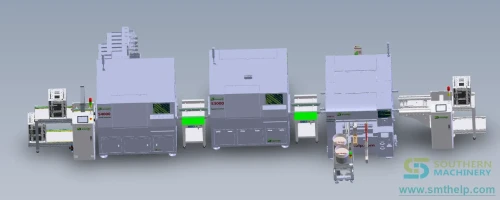
Yes. The machine takes automatic loading and unloading of boards and has symmetrical transfer tables on both rails. An interactive 3D asset in our library shows the radial inserter running with an odd-form inserter and board loading in one line.
How is the board held and corrected?
Hole position correction uses a machine vision system with multi-point mark visual correction. Board positioning uses a centre rail on the Y mechanism, and conveyor power reaches the rails through spring probes. The software manual documents camera exposure control when hole brightness makes a board difficult to measure.
What does it cost to run?
The specification sheet states a monthly usage cost under $100 and 100% compatibility with Universal machine wear and tear spare parts. We print that as the vendor's claim. The number to verify with us is the wear-part list for your specific component mix, since that is what actually drives the monthly figure.
Does it connect to our MES?
The software manual documents an MES section and states the equipment is compatible with an MES system and can manage production tasks. Production statistics are written to a record folder and can also be viewed and cleared on the machine. Whether your specific MES integration is a configuration or a development task is a question for us with your system named.
16 — Next step

Send us your component list and board drawing

Radial insertion is a component-specific decision. Send the parts you need inserted, the board size and thickness, and the volume you plan, and we will come back with a configuration, the span set your components need, and a payback estimate built on your numbers.

AddressRoom 1806, Block 3, Jinyun COFCO, Qianjin 2nd Road, Xixiang, Baoan District, Shenzhen, China 518102

Free demo, live streaming and evaluation

The specification sheet offers a free demo with live streaming and a written evaluation, so machine performance can be observed in real time and a decision can be made from a report rather than from a brochure. It is the fastest way to settle the speed question above.

Radial component preparation and insertion